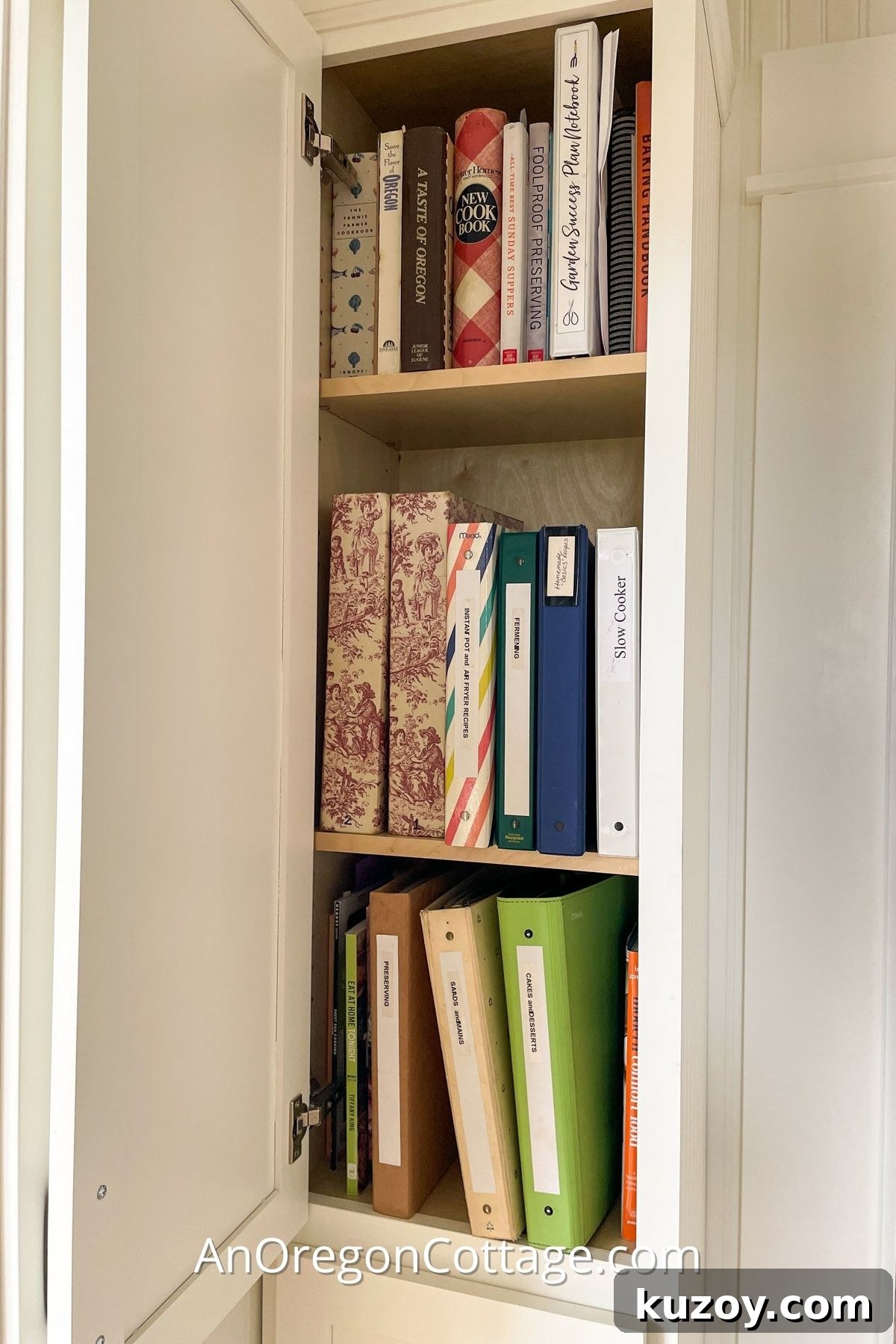
Are paper recipes scattered everywhere? Here’s a simple, low-cost way to organize printed recipes using basic office supplies so you can find what you need quickly, plus a few practical ideas for organizing recipes digitally.
This is one of many organizing strategies you’ll find here. Other ideas include:
- How to Organize the Contents of a Freezer
- Tips for Organizing Garden Paperwork (+ FREE Garden Notebook!)
- Organizing with Thrift Store Trays
- 13 Ways To Organize With Vintage Finds
- Winter Gardening: Organizing Seeds & Simple Seed Storage
I’ll admit I’m not obsessively organized, but I like to feel in control. Over the years I developed a few practical systems that actually stick.
One of those systems is for recipes. I used to shuffle through piles of printed recipes every time I wanted to cook something. The simple system I developed fixed that problem with almost no expense.
I don’t claim this is the only or perfect method, but it works—and sharing it might spark an idea that fits your needs.
No single organizing approach fits everyone. Time, energy and priorities differ from person to person, so you may combine parts of different systems or copy one that makes sense to you.
When I set up this method, it was like a light bulb went on: recipes were easy to find and the clutter was tamed.
Whichever route you choose, the goal is the same—make your recipes accessible and usable so you actually cook from them.
Digital Recipe Organization Ideas
If most of your recipes live digitally, a little structure will save time and frustration. I still prefer paper while cooking for making notes, but if you’re strictly digital, try one of these:
- Create a spreadsheet with tabs for categories. Use separate sheets or columns for ingredients, source, prep time, and notes.
- Use website “save” features to bookmark favorites on recipe sites—many sites let you sign in and collect saved recipes in one place.
- Email links to yourself and keep them in a dedicated “Food” folder with nested folders like chicken, desserts, or weeknight meals for easy retrieval.
Paper Recipe Organization
Two-Binder System
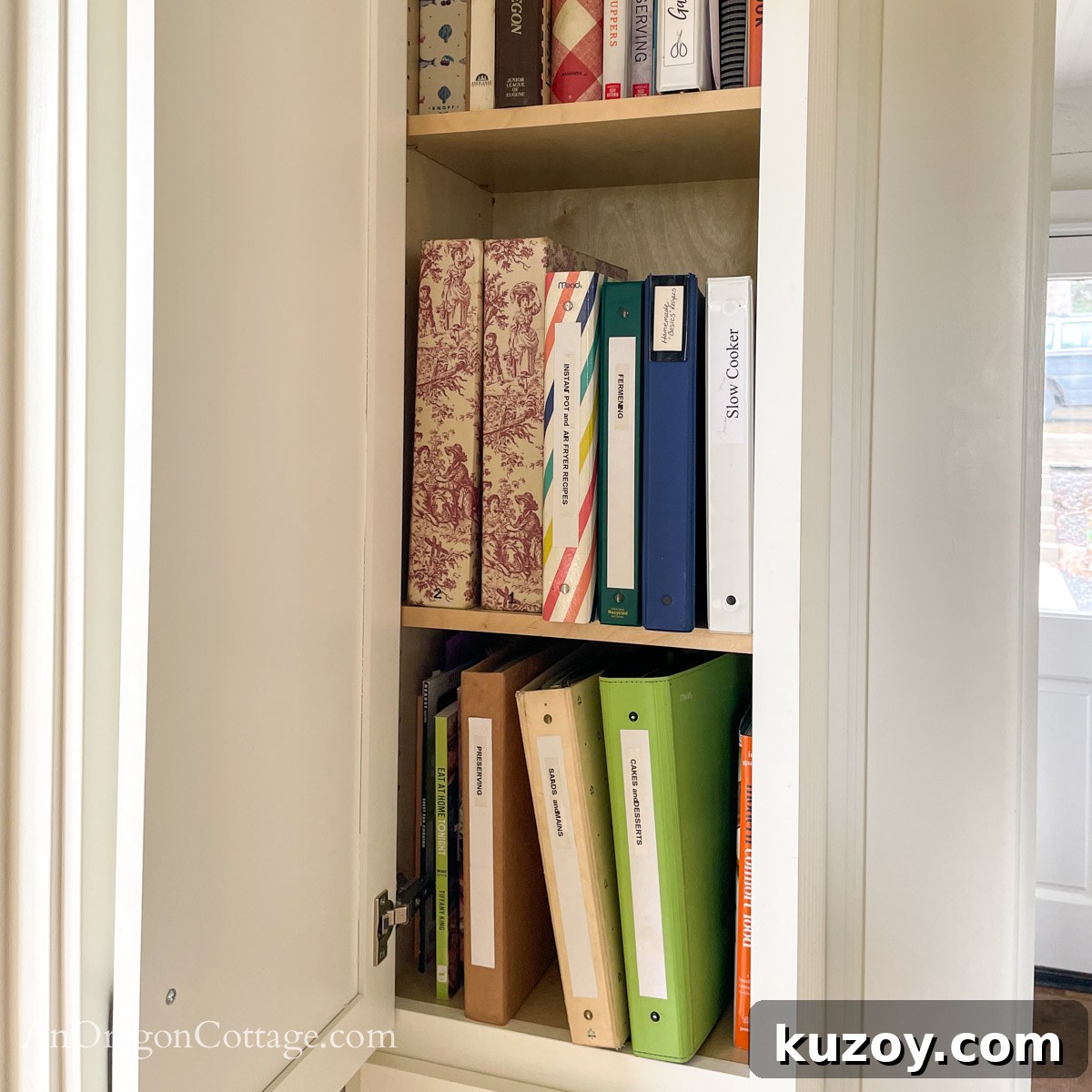
I use a two-binder system that separates small recipe cards and clippings from full-size printed recipes:
- Binder Type 1: Taller, narrow binders for small recipe cards and magazine clippings.
- Binder Type 2: Standard 9 x 12 three-ring binders labeled by category for letter-sized recipes and printouts.
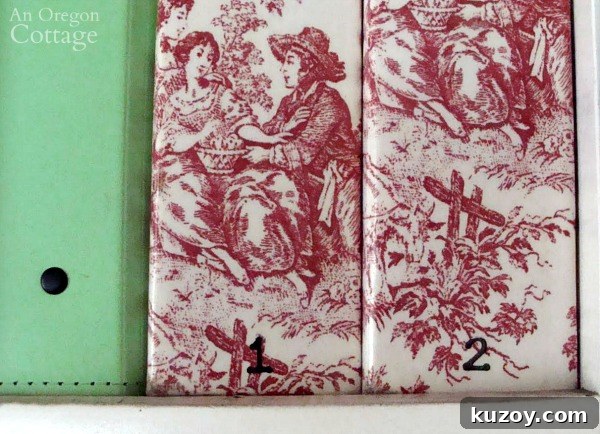
Binder Type 1: Smaller Recipes and Recipe Cards
The smaller binder option is ideal for recipe cards and magazine clippings.
- Use three-pocket photo pages or pocket albums to hold cards and clippings. They’re inexpensive and keep cards protected and visible.
- If the covers are plain, use clear contact paper to protect them and make them durable.
If the binders match, you can simply number them “1” and “2.” Over time you’ll remember which categories live in each volume.
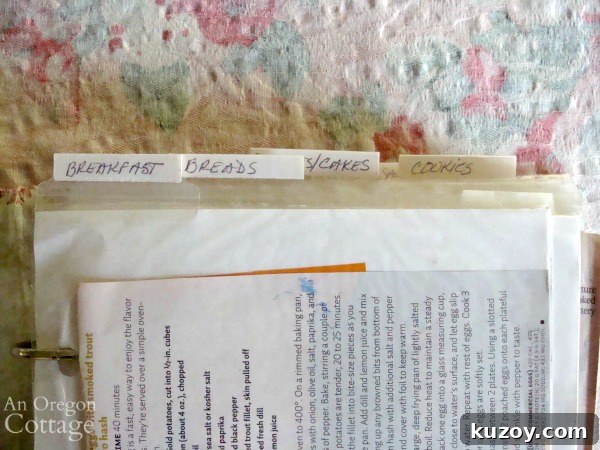
- Add stick-on tabs along the top edge of pages to create dividers without blocking the side pockets.
- Label sections in whatever way makes sense to you; custom categories beat forcing recipes into a pre-made system.
Example categories for the small recipe books:
Small recipes book 1:
- Salads
- Soups/Stews
- Poultry
- Seafood
- Meat (beef & pork)
- Casseroles/Vegetarian
- Sides
Small recipes book 2:
- Breakfast
- Bread
- Desserts/Cakes
- Cookies
- Candies
- Appetizers/Sauces
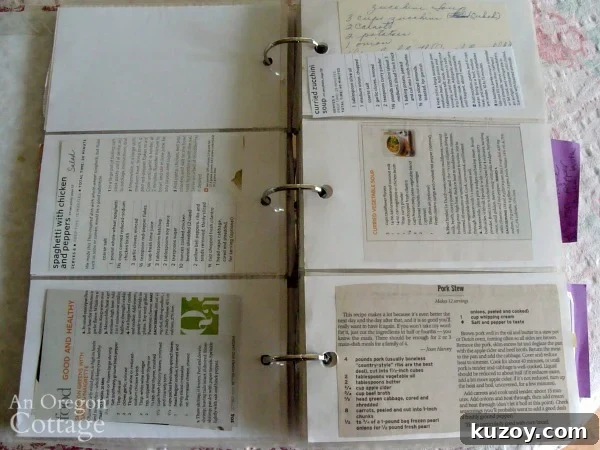
- Slide recipe cards (3×5, 4×6) into pockets. Larger magazine clippings can be folded or trimmed and taped so they fit and remain readable.
- Keep only the recipes you actually want; decluttering while you organize saves future hassle.
TIP: If a clipping doesn’t fully show in the sleeve, trim and tape it so the recipe can be read without removing it.
This photo-album method is simple, protective and much easier than juggling small recipe boxes or loose files.
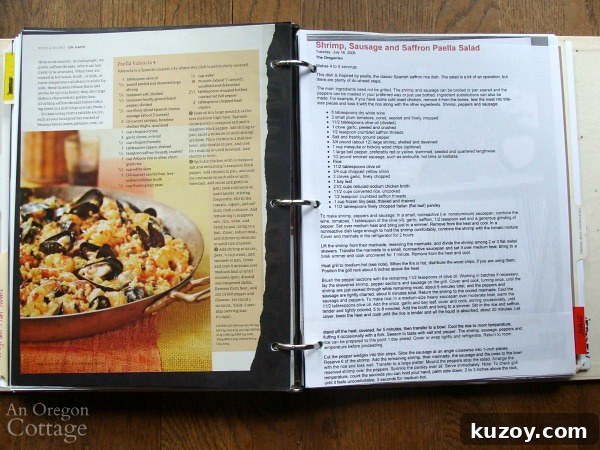
Binder Type 2: Full-Size Printed Recipes
For full-size printouts and magazine pages, use regular three-ring binders:
- Label divider tabs with categories similar to the pocket albums for consistency.
- Use clear sheet protectors for magazine clippings and printed recipes to keep them clean while cooking.
- Punch any loose pages and add them directly to the rings for quick access.
The key insight for me was not forcing every format into one binder. Split small cards and large printouts into different systems so each is easy to use.
When You Outgrow a Single 3-Ring Binder
One binder might work if your collection is small. If it grows, split categories across multiple binders. I eventually used three large binders labeled:
- Salads/Mains
- Appetizers/Breads/Breakfast
- Cakes/Desserts
I also created specialized binders as needed:
- Slow-cooker recipes
- A binder for pantry basics and homemade essentials
- A binder of past menus for planning
- Update: I later added Instant Pot, Preserving and Fermenting binders as those interests grew.
PRO TIP: Keep past menus organized by month so you can quickly plan seasonal meals using garden produce or sale items.
Video Overview
If you enjoy a lighthearted look at this system, there’s a short video that shows the setup and offers a few laughs. The tone is playful and the video gives a quick visual tour of the binders and categories.
I hope these ideas help you shape a recipe organization system that suits your habits and kitchen. I’d love to hear how you organize your recipes!
This article was updated; it was originally published in May 2010.